Table of Contents
Choosing the proper Home Assistant hardware can be overwhelming. Whether you’re new to home automation or a seasoned pro, the hardware you select can make or break your experience. This comprehensive guide will demystify the requirements, delve into the various options, and help you make an informed decision. From the compact Raspberry Pi to the powerful Intel NUC, we’ve got you covered. So, strap in, and let’s dive into the world of Home Assistant hardware!
What is Home Assistant?
If you’re unfamiliar with it, Home Assistant is an open source home automation platform that allows you to control all your smart home devices from one central hub. But before you start your journey to smart home nirvana, you must ensure you have the right hardware for what you want to accomplish.
Core hardware requirements for Home Assistant
Setting up your Home Assistant system doesn’t necessarily mean breaking the bank on high-end hardware. Home Assistant is designed to be versatile, and it can comfortably run on devices you might already have lying around. However, understanding the minimum requirements is crucial to ensuring a smooth and frustration-free experience. Let’s break it down.
At the minimum, you’ll want to hit the following specs for your hardware:
| CPU | 1.5GHz single-core processor |
| RAM | 2GB |
| Storage | 32GB |
| Network | Ethernet port or reliable WiFi |
For a more responsive system that enables advanced analytics and automation and can extend over time, you will want to target the following:
| CPU | Quad-core processor at 2GHz or higher |
| RAM | 4-8GB or more |
| Storage | 128GB SSD |
| Network | Gigabit ethernet |
Architecture matters as well. While ARM processors (like those in Raspberry Pis) are energy-efficient and affordable, x86-64 processors offer better compatibility with add-ons and a generally superior performance. If you plan to run resource-intensive add-ons, such as Frigate for AI-powered camera detection or multiple database systems, you will also need more powerful hardware.
Home Assistant hardware options
Raspberry Pi
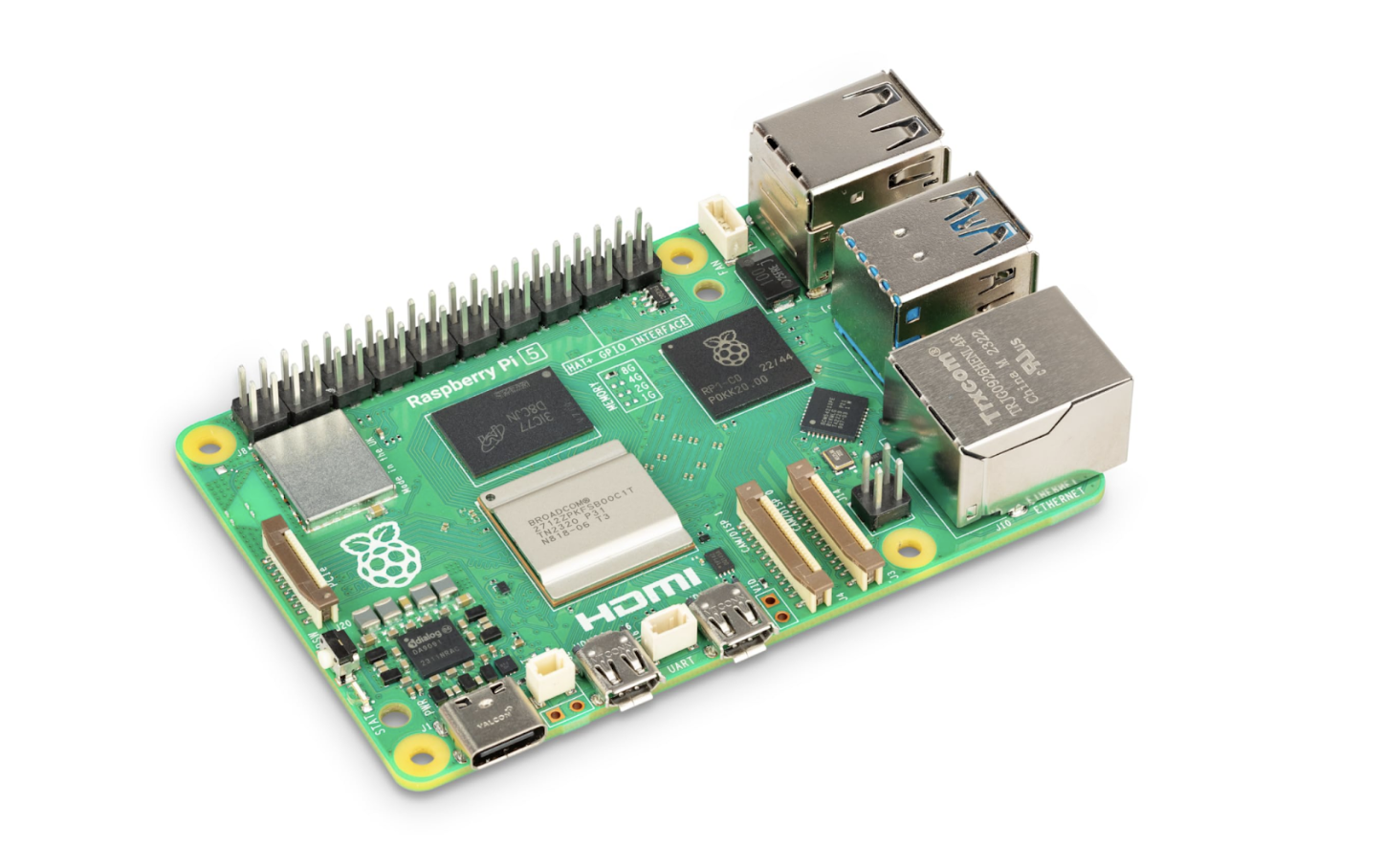
The Raspberry Pi is the poster child for affordable computing and is a popular choice for Home Assistant beginners. Here’s what you need to know:
- Model: While it’s tempting to go for older, cheaper models, you’ll want at least a Raspberry Pi 3B. The 3B offers a good balance between cost and capability. However, if you can stretch your budget a bit, the Raspberry Pi 4 is even better, boasting faster processing and more RAM.The Raspberry Pi 5 has a 2.4GHz processor and improved I/O and can support NVMe storage with HAT adapters.
-
Power Supply: Ensure you have a reliable 5V/2.5A micro USB power supply for the Pi 3B and a USB-C power supply for the Pi 4. A stable power source prevents unexpected shutdowns and potential data corruption.
- Heat Management: Raspberry Pis can get hot, especially when running continuously. Consider adding a heat sink or a fan to keep temperatures in check.
Odroid
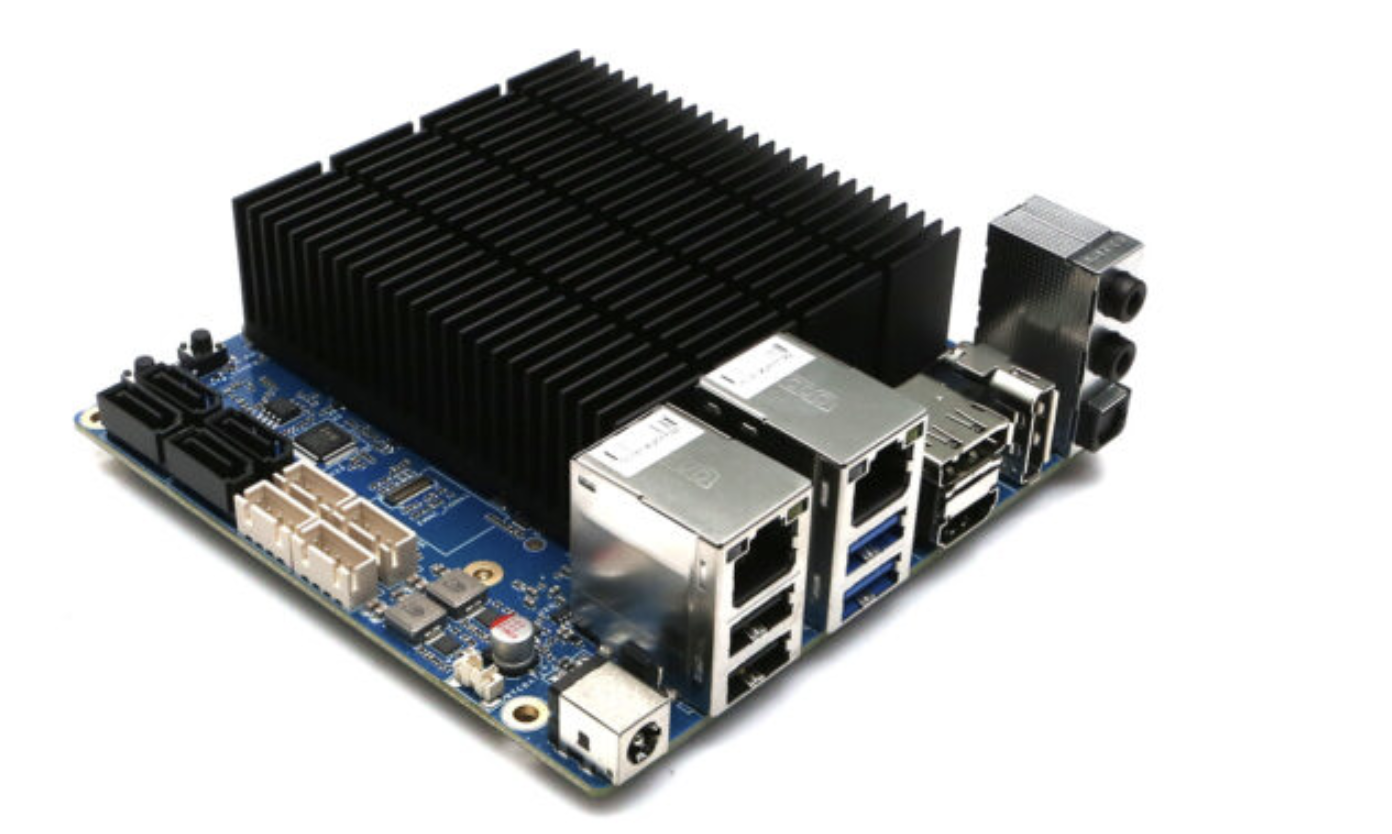
Odroid single-board computers from Hardkernel offer a compelling middle ground between Raspberry Pi and full x86 systems. While less well-known, these Korean-made boards deliver superior performance and built-in eMMC storage for Home Assistant deployments.
-
Odroid-N2+: The flagship ARM board and top choice for demanding setups. Features a hexa-core processor (significantly faster than any Raspberry Pi), 2GB or 4GB RAM options, and built-in eMMC storage. Excellent thermal design keeps it stable under continuous load. Ideal for running resource-intensive add-ons like Frigate or managing 100+ devices.
-
Odroid-M1: The modern all-rounder with native M.2 NVMe slot (no adapters needed) and dual SATA ports for traditional drives. Available with 4GB or 8GB DDR4 RAM. Choose this if you prioritize storage flexibility and reliability. The quad-core RK3568 processor is efficient but less powerful than the N2+.
-
Odroid-C4: The Raspberry Pi alternative with a similar form factor but better reliability. Quad-core processor with 4GB RAM and eMMC support. Works well for mid-sized setups (50-75 devices) where you want better stability than Pi without the N2+ price tag.
-
Odroid-H3: The x86 option with Intel Celeron processor, dual M.2 slots, dual SATA ports, and support for up to 64GB RAM. Perfect for virtualization or when you need x86 compatibility.
NUC
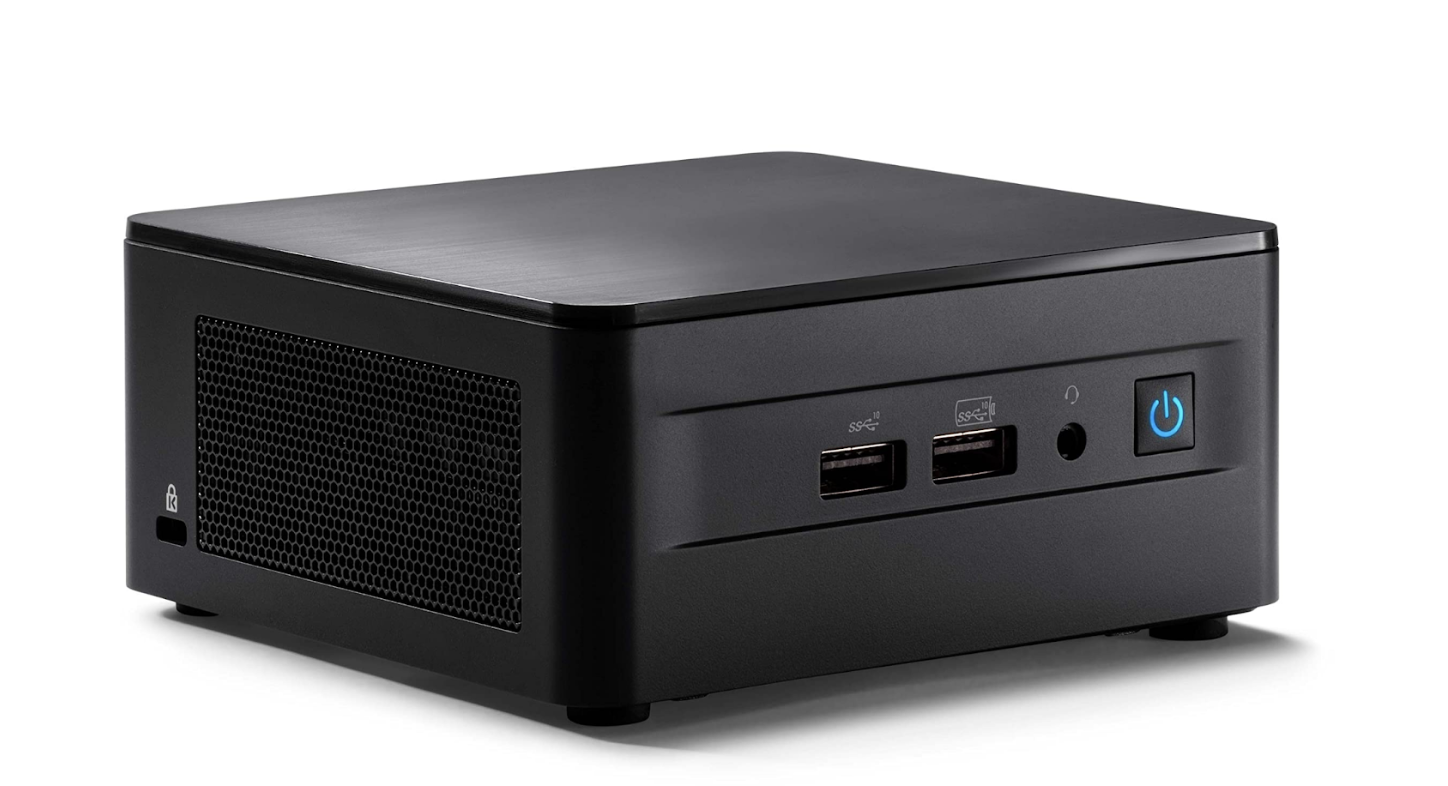
If you’re thinking long-term and want a device that’s both compact and powerful, the Intel NUC might be your pick. Here’s a quick rundown:
-
Versatility: The Intel NUC series offers a range of configurations, from energy-efficient dual-core models to quad-core powerhouses. This means you can pick one that fits your needs and budget.
-
Expandability: Unlike the Raspberry Pi and Odroid-N2, the Intel NUC allows for upgrades. Whether it’s RAM or storage, you can expand as your Home Assistant setup grows.
-
Connectivity: With multiple USB ports, HDMI outputs, and even Ethernet, the Intel NUC ensures you’re always connected.
Home Assistant Green
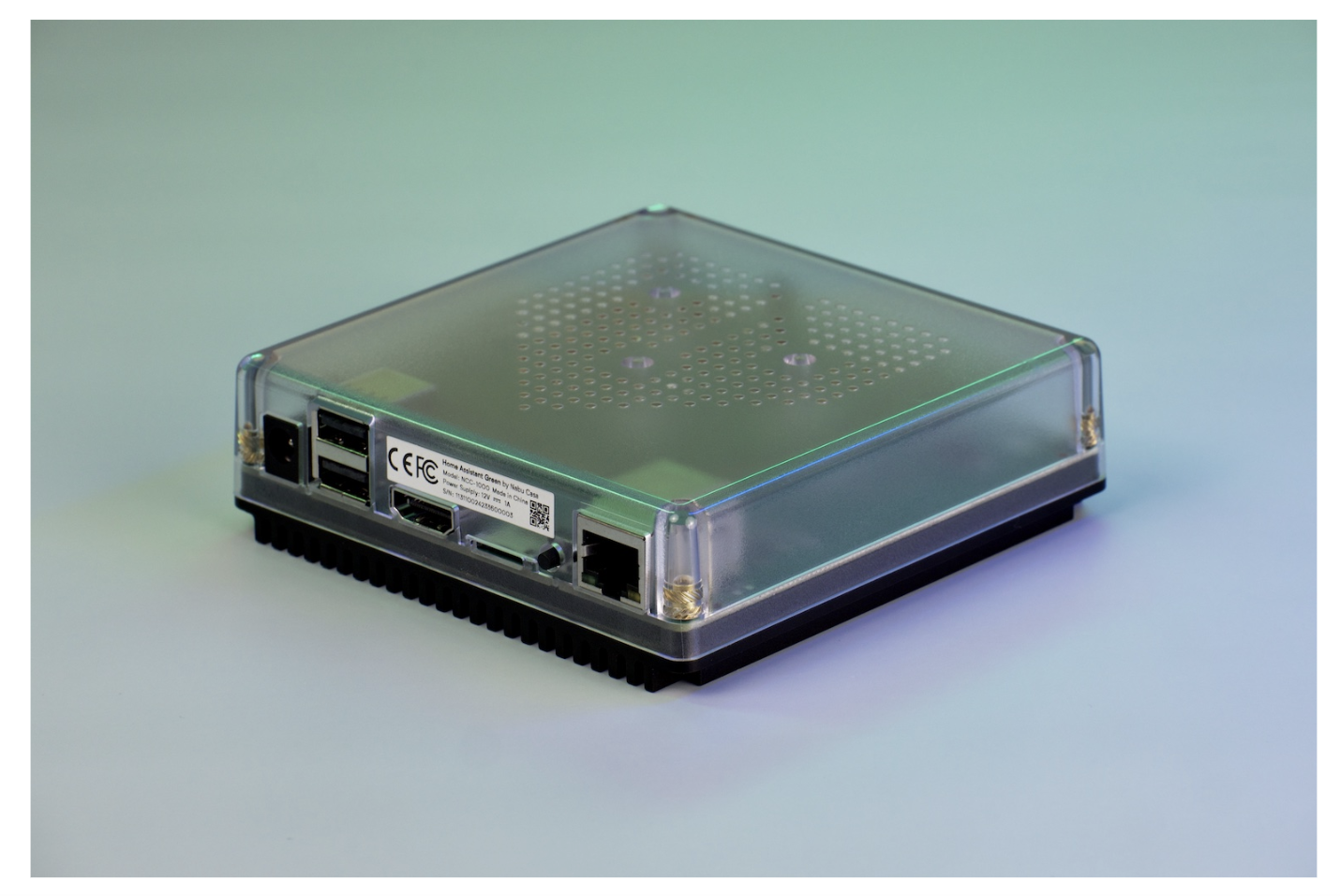
Home Assistant Green is the official entry-level hardware, designed specifically for beginners starting with Home Assistant. Built around a Raspberry Pi Compute Module 4, it offers:
- Pre-installed Home Assistant OS
- 32GB eMMC storage (more reliable than SD cards)
- Built-in Zigbee coordinator
- Compact, fanless design
Green is perfect for apartments or smaller homes with up to 50 devices. Its integrated Zigbee radio means one less USB device to manage, and the pre-installation eliminates setup complexity.
Home Assistant Yellow
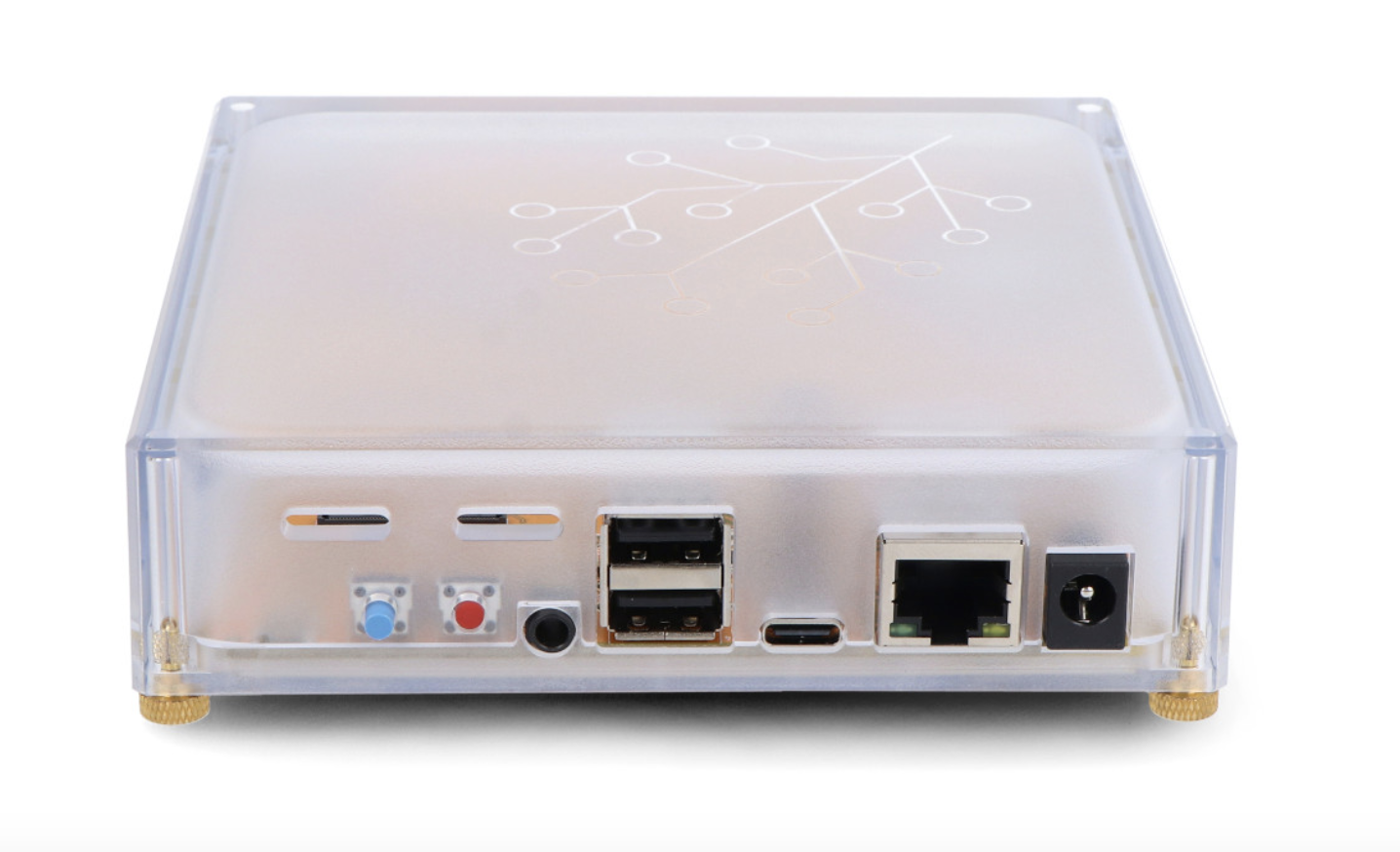
Yellow targets enthusiasts who want official hardware with expansion capability:
- Raspberry Pi Compute Module 4 (user-supplied)
- M.2 slot for NVMe storage
- Built-in Zigbee radio with external antenna
- Power over Ethernet option
- GPIO expansion headers
Yellow’s modular design lets you choose your CM4 variant based on needs and budget. The NVMe support ensures long-term reliability, while PoE capability enables clean installations without wall adapters.
Home Assistant storage deep dive
Storage can often be an afterthought in a smart home installation, with the temptation to choose the cheapest per-gigabyte option. But making a poor choice in storage can lead to all sorts of problems with regard to the usability and reliability of your Home Assistant setup. In this section, we’ll look at some of the options and general best practices for storage.
SD Cards
The traditional Pi storage medium is also its biggest weakness. Even high-endurance cards like SanDisk Extreme or Samsung Endurance eventually fail from constant writes. If you must use SD cards:
- Buy high-endurance models rated for dashcams/surveillance
- Implement aggressive recorder purging
- Take regular backups
- Plan for eventual failure
SSDs
SSDs are the gold standard for Home Assistant storage:
- SATA SSDs provide excellent reliability and sufficient speed for all Home Assistant needs
- NVMe drives offer peak performance but are overkill for most setups
- Even budget SSDs vastly outperform SD cards in reliability External storage via USB 3.0 works well for Raspberry Pi users. USB-to-SATA adapters with SSDs provide near-native performance with better reliability than SD cards.
Backup Strategies
Backups are insurance against the inevitable hardware failure, corrupted SD card, or configuration mistake that breaks everything. The question isn’t whether you’ll need a backup, but when. A comprehensive backup strategy means the difference between restoring your smart home in minutes versus spending days rebuilding automations from memory. Let’s look at some options for creating backups with Home Assistant with increased levels of maturity.
- Local backups: As a starting point, Home Assistant has automatic backup functionality built in that you can use to create snapshots on a set schedule. This allows you to roll back changes that break things like integrations or automations.
- Network storage: The next step is moving your backups off the device running Home Assistant in case your hardware fails. Network-attached storage on your local network is a common strategy.
- Cloud backups: The best option for backing up your data is to use cloud storage services to guarantee you can restore your system even if your entire local system fails. A combination of retention policies and scheduled backups can help reduce storage costs.
Database Management
Home Assistant’s default SQLite database works well for small installations but can become a bottleneck for certain use cases. If you plan to do analytics on your data or store it long term, you’ll want to use a dedicated database like InfluxDB. InfluxDB is designed to store the types of data commonly found in Home Assistant installations and is one of the most popular integrations in the Home Assistant ecosystem.
Power and reliability
Your smart home should work when you need it most. A UPS ensures operation during power outages or surges. To determine how large your UPS needs to be, you’ll want to calculate the power draw of the hardware you want to keep running and size it for at least 30 minutes of operation. For critical applications, consider the following redundancy strategies:
| High availability | Home Assistant supports active/passive clustering, but requires careful planning and identical hardware. |
| Cold standby | Maintain a second, identical system with regular backup restoration tests. Switch manually during failures. |
| Hybrid | Run critical automations on dedicated hardware (like Hubitat or Shelly devices) with Home Assistant providing the interface and advanced logic. |
How to choose the right hardware
Choosing the proper hardware for your Home Assistant setup isn’t just about meeting the minimum requirements, it’s about aligning those requirements with your specific needs. To recap everything covered in this blog, here is what you should keep in mind:
Assess Your Needs
Start by considering how you’ll use Home Assistant. Will it be a small setup with a few devices, or are you planning an extensive smart home system? The more complex your setup, the more powerful hardware you’ll need.
Plan a Budget
Budget plays a crucial role. Raspberry Pi is your go-to for a budget-friendly setup. Intel NUC or a dedicated server could be better options for a more extensive system, but they will be pricier.
Scalability
Think long-term. Your smart home will likely grow, so choose hardware that can accommodate future expansions.
Compatible Devices
Make sure to check compatibility. Home Assistant works with thousands of devices, from lights and thermostats to speakers and cameras. Compatibility shouldn’t be a significant concern, but it’s always good to double check.
Additional resources
- Home Assistant webhooks tutorial
- Getting started with Home Assistant and Docker
- Home Assistant and Grafana tutorial
- Node Red dashboard tutorial
- Node Red for IoT


