What’s New in InfluxDB 3.8: Linux Service Management, Kubernetes Helm Chart, and Smarter Ask AI
By
Peter Barnett
updated March 16, 2026
Product
Developer
Navigate to:
InfluxDB 3.8 is now available for both Core and Enterprise, alongside the 1.6 release of the InfluxDB 3 Explorer UI. This release is focused on operational maturity and making InfluxDB easier to deploy, manage, and run reliably in production.
InfluxDB 3 Core remains free and open source under MIT and Apache 2 licenses, optimized for recent data. InfluxDB 3 Enterprise builds on that foundation with long-range querying, clustering, security, and full operational tooling.
Linux service management for Core and Enterprise
InfluxDB 3.8 introduces Linux service management across our deb and rpm packages, so InfluxDB installs and runs like a standard Linux service without manual setup.
Packages now register systemd units on modern distributions and provide SysV support for older environments. Services install cleanly, enable automatically, and respond to the same lifecycle commands operators already use. Configurability is centralized in a TOML file and a launcher that translates those settings into the server’s current configuration model.
Upgrading from Core to Enterprise is straightforward. Both use the same data and plugin locations, so you simply install Enterprise over Core and restart. There’s no data migration or juggling directories.
Helm chart for InfluxDB 3 Enterprise (beta)
For teams running InfluxDB on Kubernetes, 3.8 introduces an official Helm chart for Enterprise, currently in beta. This makes deployments more predictable, repeatable, and aligned with production best practices.
The Helm chart packages our recommended deployment patterns into a single chart so you don’t have to maintain custom manifests or piece together a configuration from scratch. It supports common production needs like object storage configuration, cluster settings, and environment-specific overrides, and uses standard Helm mechanisms for installs, upgrades, and rollouts.
During the beta, we’re focused on refining defaults and ensuring upgrades behave the way operators expect.
Custom instructions for Ask AI in Explorer
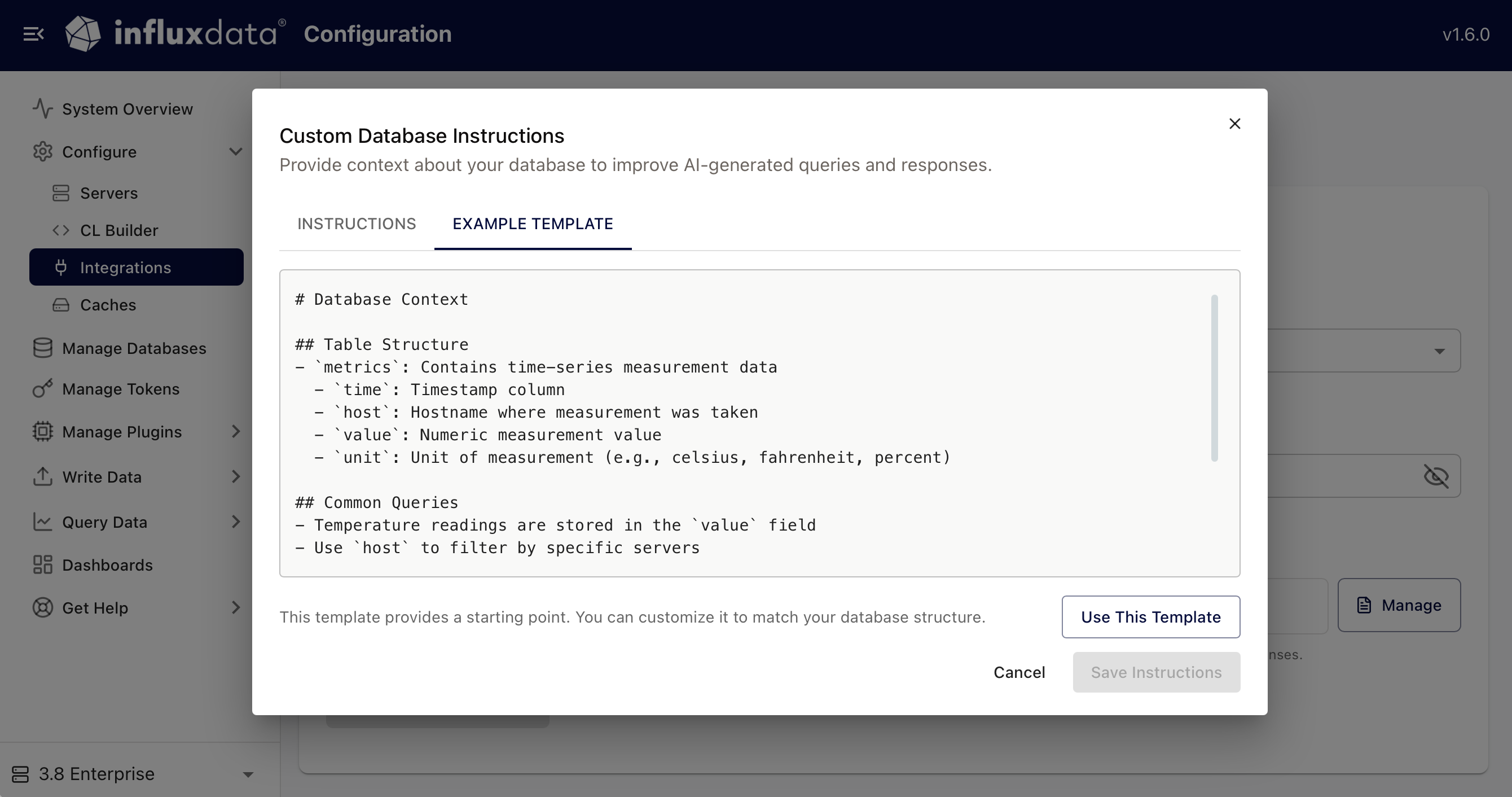
Version 1.6 of our Explorer UI expands Ask AI with Custom Instructions, giving users more control over how the AI behaves and what context it uses when generating responses. You can teach Ask AI naming conventions, call out which measurements or tags matter most, or specify how you want results formatted. This makes Ask AI more consistent across sessions, users, and shared environments.
This is especially useful when multiple teams work against different datasets, but want Ask AI to stay grounded in their specific workflows.
Other improvements
- Explorer’s line protocol experience is smoother and easier to work with, with clearer validation and more helpful feedback.
- The Processing Engine includes refinements to write buffering and query handling for sparse datasets, improving stability under uneven workloads.
- New internal metrics give operators better visibility into ingestion, Processing Engine execution, and storage activity.
Get started
InfluxDB 3.8 is available now. Download the latest release or pull the newest Docker image for Core or Enterprise.
Explorer 1.6 is also available with Ask AI Custom Instructions and improvements across both writing and querying. Check out the docs (Core, Enterprise) for more details, and join the conversation in Discord or the Community Slack. Your feedback continues to shape where we go next.

